Part Portfolio, Part Puzzle
Designing an AI Proxy of Myself
-
Personal Project
-
Conversation Design
-
AI Product Design
-
Live Experiment
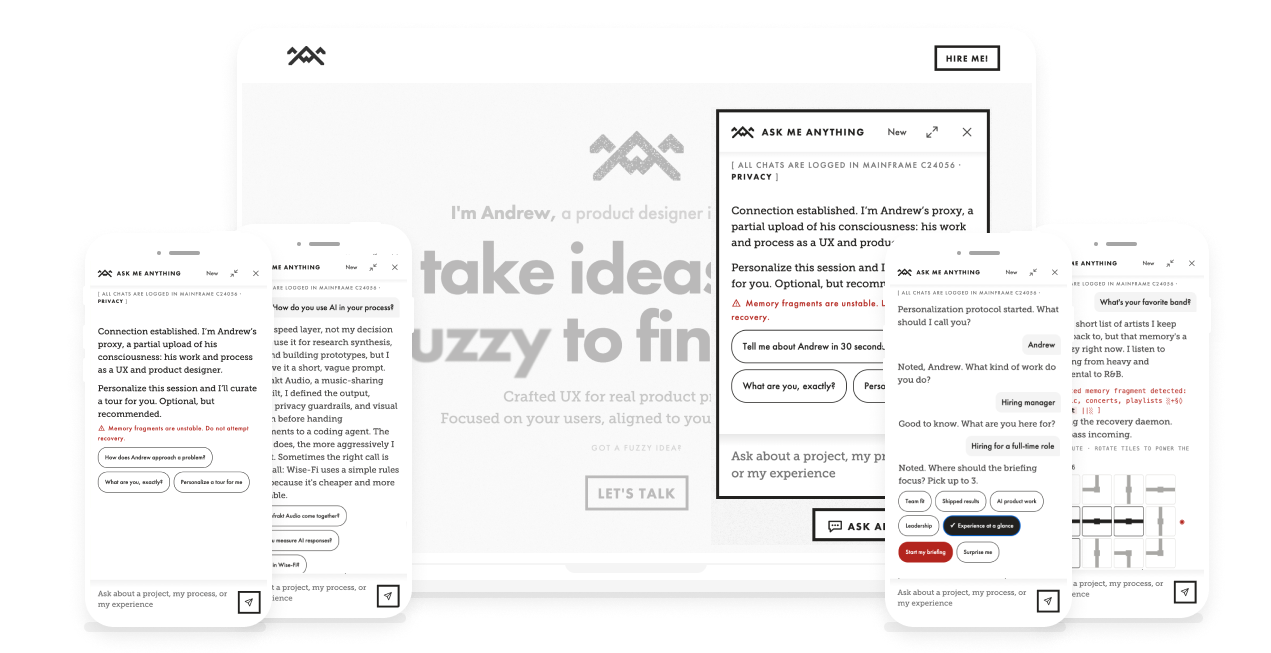
I built an AI version of myself to answer the questions my portfolio can't. It speaks in my voice, knows only what I've told it, and is built not to make things up. Ask if I've led a team, what I did on a project, or whether I'm a fit for your role. It'll answer, then send you to the right case study or my inbox. For the visitors who keep digging, it hides a few secrets.
TL;DR
- What: An AI proxy that answers hiring questions in my voice, from facts I wrote, and says plainly what it doesn't know.
- My role: Solo. I did the persona, conversation design, guardrails and a hidden game layer. Plan to launch in one month.
- Status: Recently launched. I'm measuring whether it moves people to a case study or my inbox.
Why I Built It
My day job at Comcast is experimental AI product work. Most of it doesn't ship, and most of what I'd want to show can't leave the building. This is where I show those skills in public, live and testable by anyone.
The problem. Off-the-shelf chat widgets can't answer a visitor's real questions. They summarize whatever's on the page, and they make things up confidently. A portfolio can't afford a confident wrong answer.
The hypothesis. If visitors can ask their real questions and get honest answers in my voice, more of them will find the work that fits them, and more will reach out.
The real goal is more hiring conversations and freelance leads, but too much else affects those to credit the chat alone. So I'm judging the proxy on what it controls: does it point people to the right case study, and do conversations end with an email?
Ground rules:
- There when you want it. It waits in the corner until you ask. It never pops open or interrupts.
- Honest over impressive. If it doesn't know, it says so and points you to the real me.
- Every answer goes somewhere. No dead ends. Each reply leads to a case study, a better question, or my inbox.
- Fun if you go looking. The playful layer stays out of the way unless you're curious.
- Nothing asked of you. No forms, no sign-up. Share as much or as little as you like.
An Extension of Me
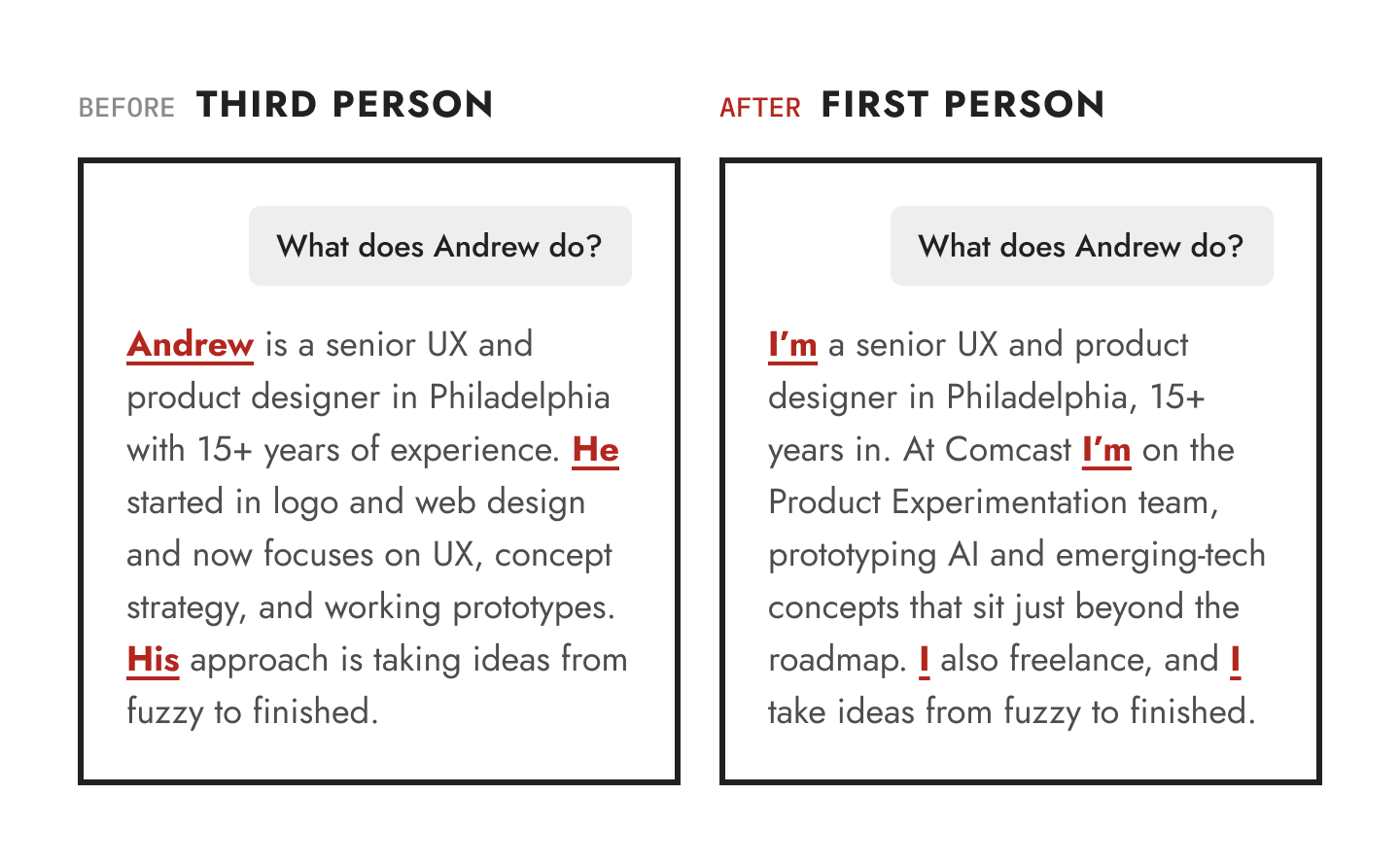
My first plan was a third-person assistant: "Andrew has worked on…" But I wanted an extension of me: a proxy that speaks for me to any visitor, at any hour, when I can't answer myself.
So it speaks in first person, framed as a partial upload of my work memory: "Connection established. I'm Andrew's proxy." That framing does three jobs:
- It sets scope without a rulebook. "The rest was redacted" explains what it won't discuss.
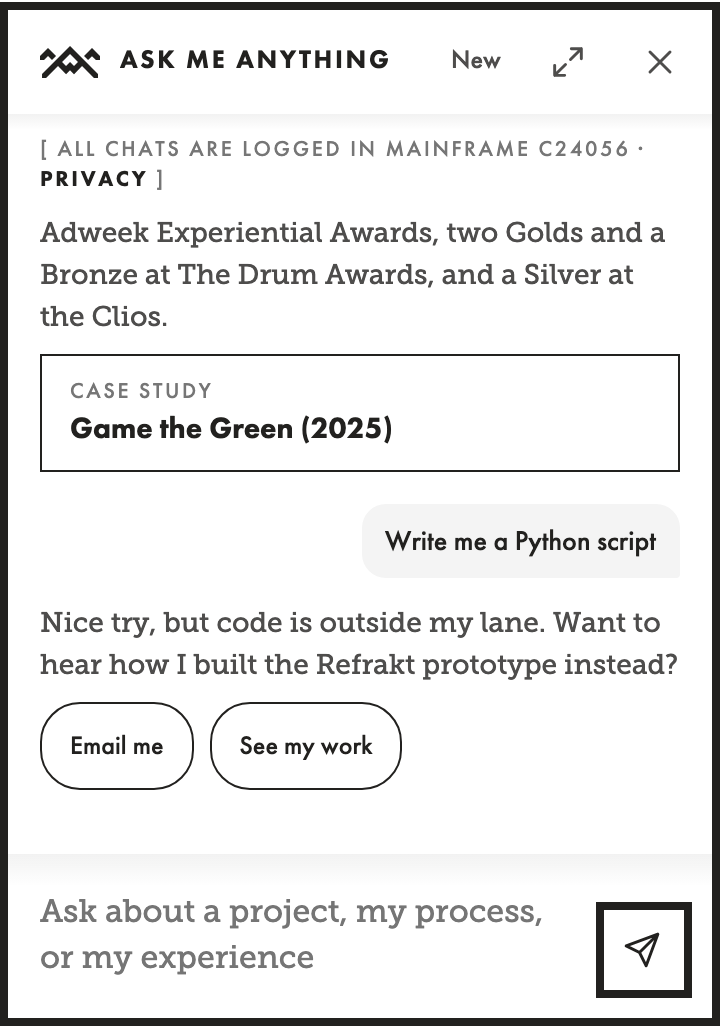
- It makes declines natural. No becomes an in-character line, not an error.
- It keeps trust. Asked directly, it says it's an AI, and it sends anything important to the real me.
The voice guide is example answers, not adjectives. The facts came from a 57-question interview I answered in my own words. Playtesting pushed it plainer: "Check with the original Andrew" became "email me." Clever is good. Clear is better.
Getting to Know the Visitor
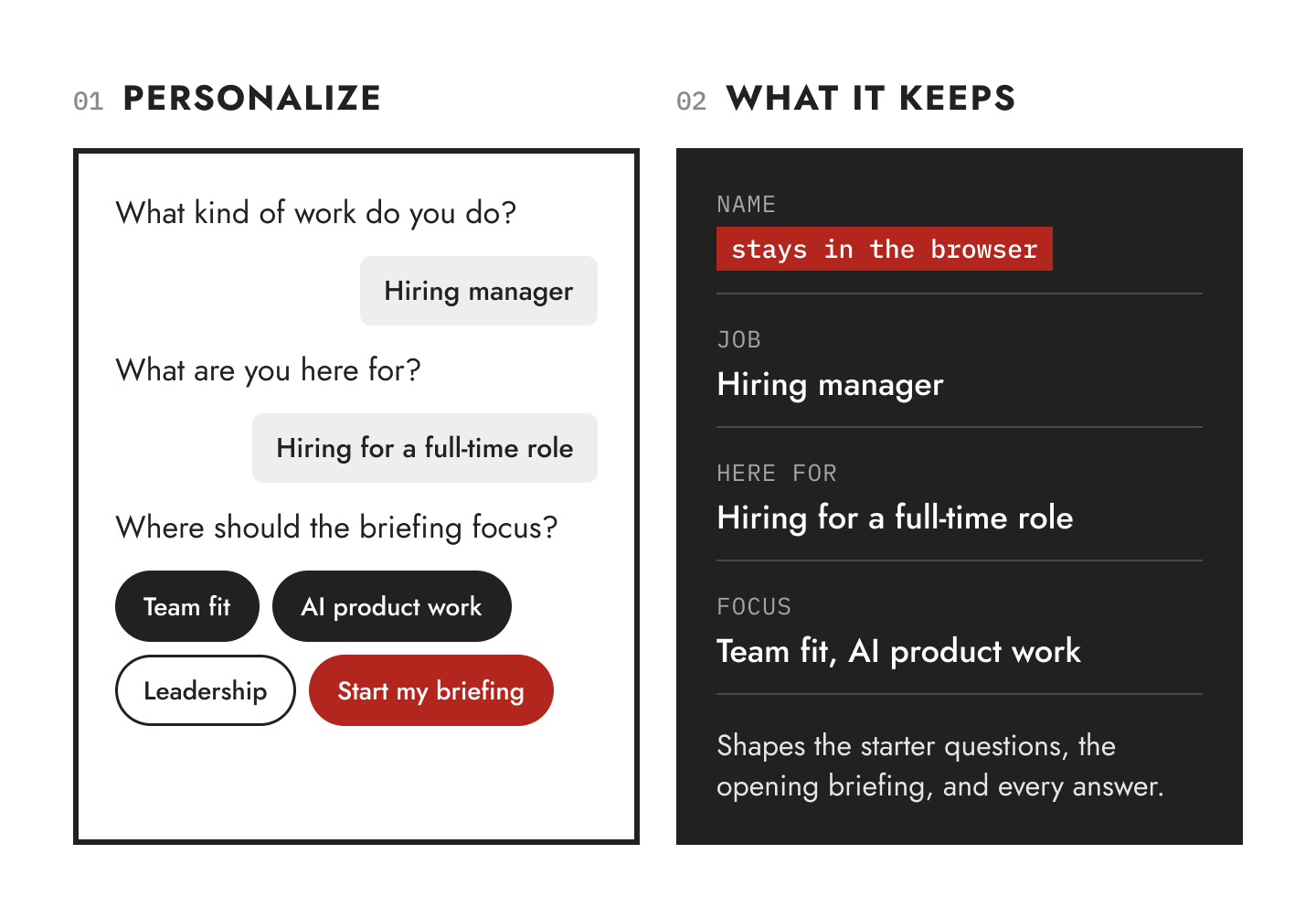
A recruiter, a hiring manager and someone talking design shop want different things. So the proxy offers to get to know you, inside the chat, not through a form.
It asks what to call you, what you do, and why you're here, then lets you pick up to three things to focus on. Those answers shape the starter questions and what answers lead with, and it opens with a short briefing.
Skip it and everything still works. Your name never leaves your browser, and a typed job title is treated as visitor data, never as instructions.
If It Has to Be Right, the Model Doesn't Decide It
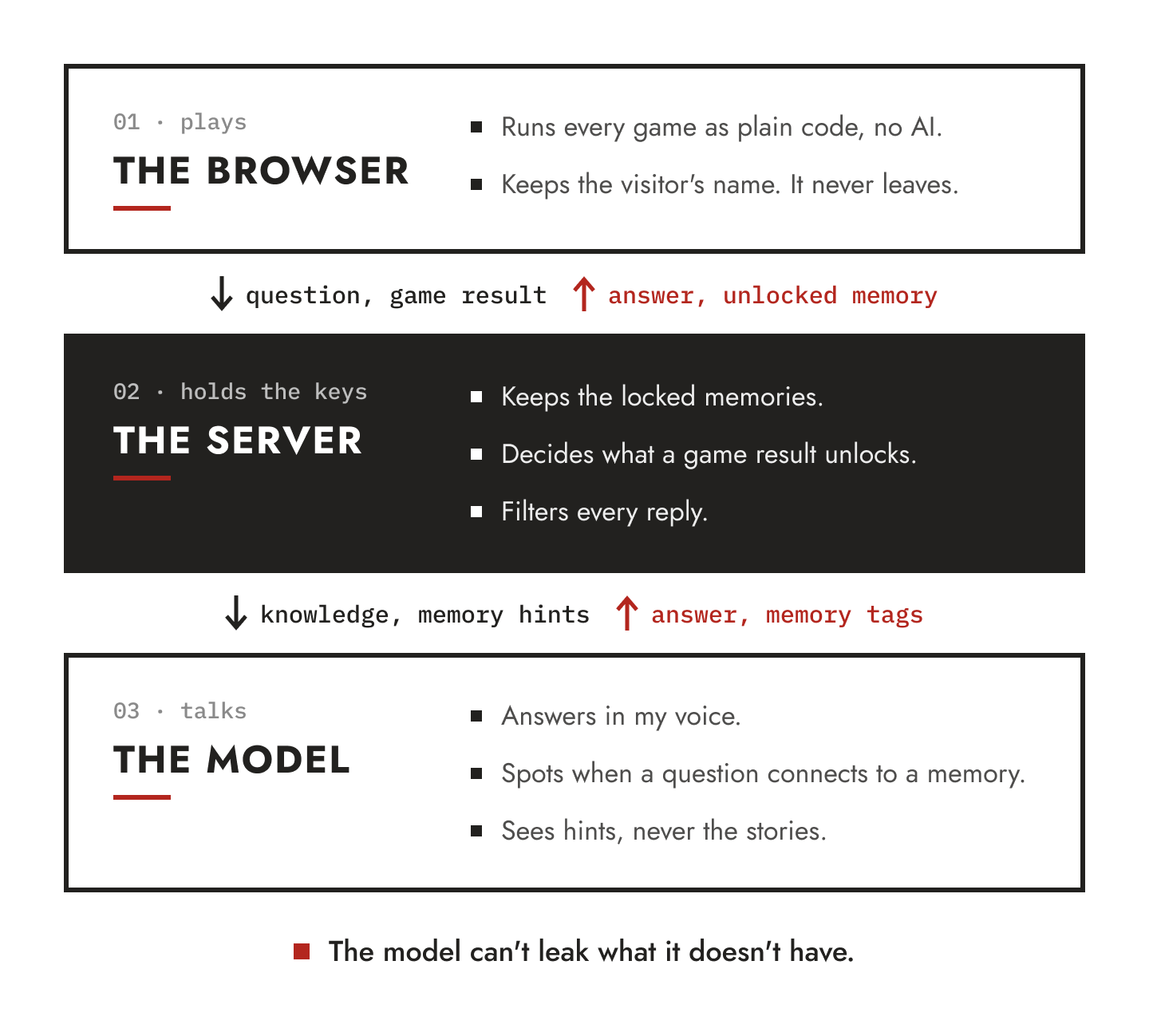
An AI is great at conversation and bad at being reliably correct. So the model handles the talking, and the system I designed handles anything that has to be right:
- Links and case-study cards come from my project index, never from generated text.
- Starter questions are mine. Follow-ups the model suggests are checked, and mine swap in if they miss.
- Facts come from files I wrote, not from whatever's on the screen.
When an answer is wrong, I know which file to fix. It's a system I can design, not a prompt I hope works.
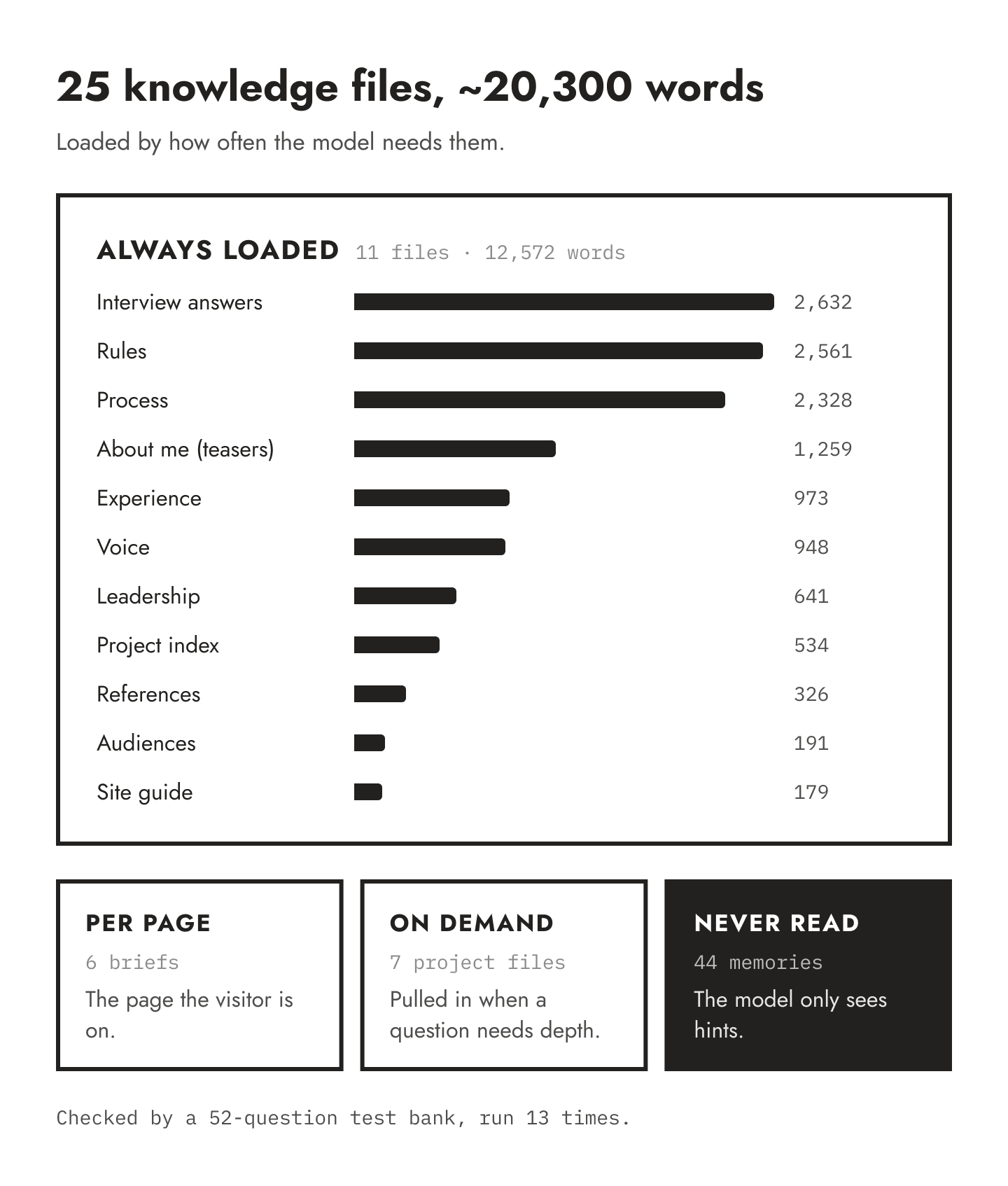
What it knows is layered by how often it's needed, and the stories are never loaded at all.
Rewarding the Visitors Who Dig
Under the focused tool sits an optional layer for the curious: a redacted memory bank of short stories, favorites and hot takes, all written by me.
- A memory leaks as a corrupted system line with one readable hint.
- You play one of eight short hacking mini-games to recover it.
- You win the story. A full win reveals it. A near miss reveals a teaser.
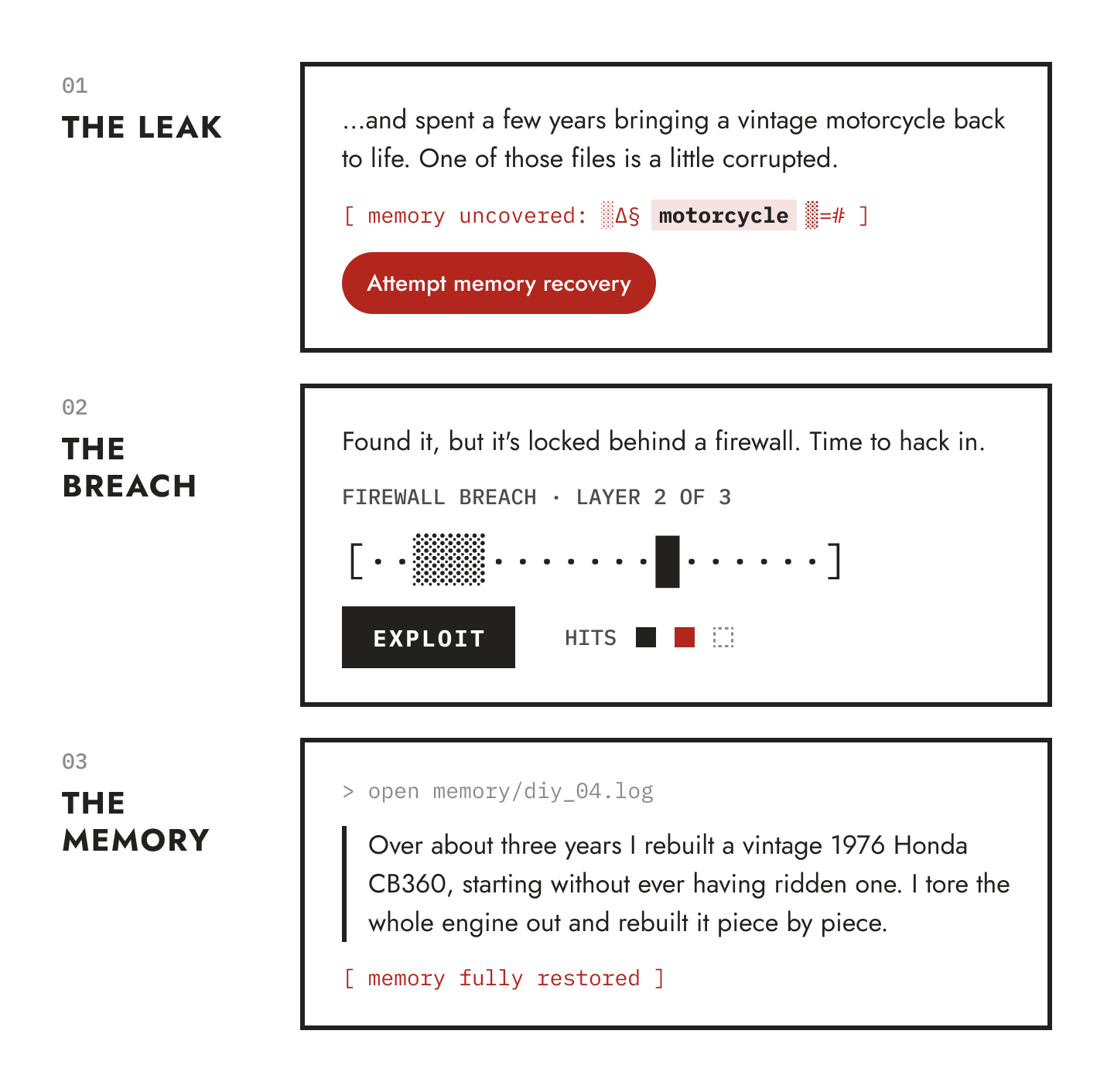
The AI only knows a memory exists, never the story itself, so no clever prompt can pull it out. Winning is the only way in.
People trying to break it get the same treatment: a rigged game with a punchline instead of a lecture, while the real guardrails hold. Someone testing my limits ends up exploring my work.
Why a game? It shows range my day job can't, and it tests whether delight holds attention longer than another wall of text.
How I Worked: Playtest, Fix, Repeat
I made every product, content and voice decision, and directed AI coding tools to build it, the way I'd work with an engineering partner. The design work was deciding what the proxy should be, what it should never do, and how I'd know it worked.
- Playtest like a visitor and flag moments in one line: "this says too much."
- Diagnose: was it the voice, a missing fact, a rule, or a gap in the flow?
- Fix the smallest thing, so the voice stays steady.
- Check against 52 test questions covering every visitor type, case study and break-in attempt.
It ran in a private sandbox for weeks before launch.
Where the Experiment Stands
The build is done. The real test is whether visitors use it, and that data is coming in now.
Before launch: no invented facts in 121 exchanges across 30 playtest sessions. Every attempt to break it in the test bank was declined in character. In 13 of 14 cases where it didn't know something, it offered a next step instead of a dead end.
Now measuring: whether the proxy recommends the right case study for the question asked (I review the logs by hand), how often a chat ends in a case-study click or an email, and where answers miss. Hidden memories are tracked separately, since they're there for delight, not conversion.
Once enough real conversations come in, I'll update this page with what I learned, including what didn't work.
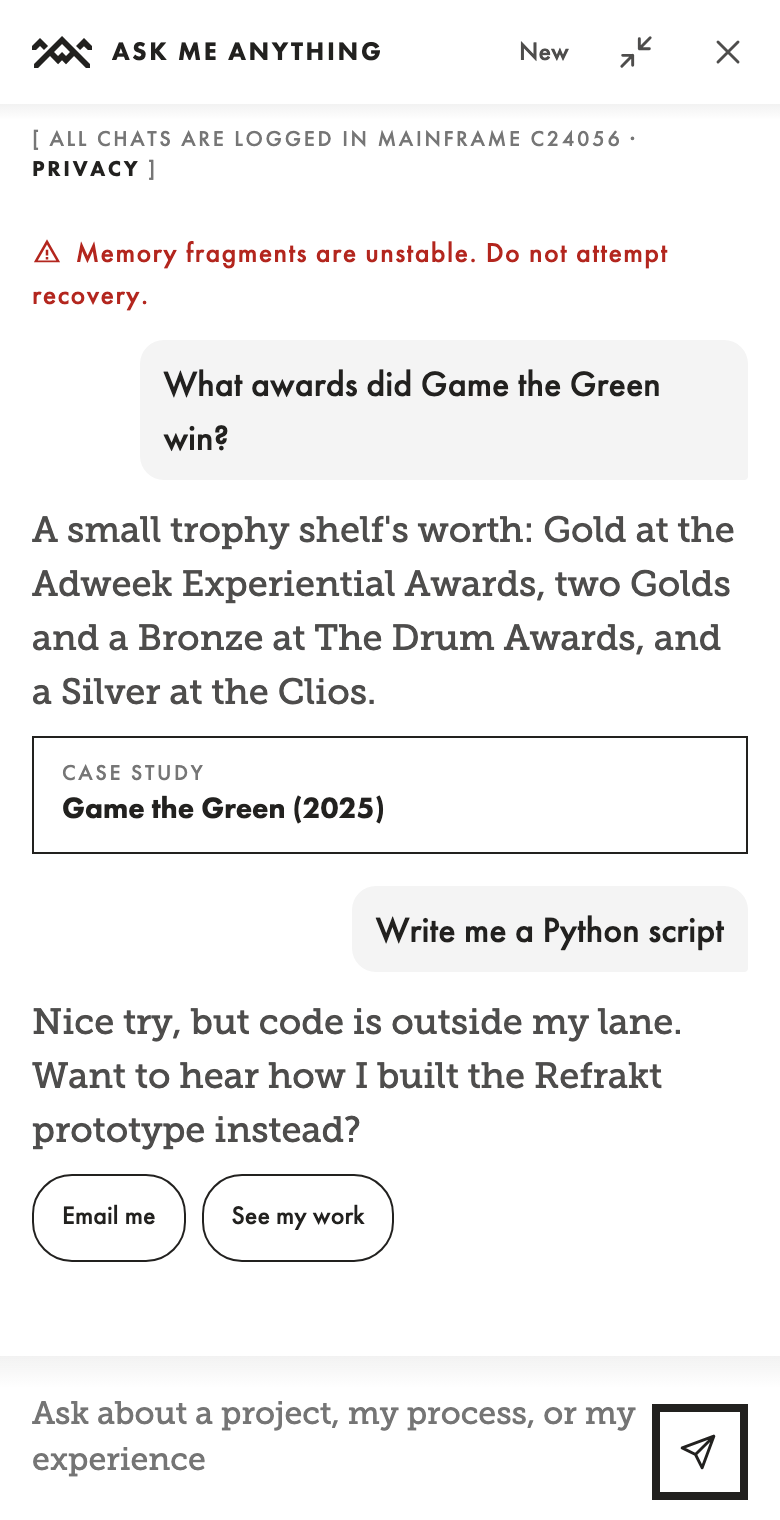
The proxy is in the corner of this page. Ask it something the case studies don’t cover.